The office
Command bar & shortcuts
Search everything, message anyone, create tasks and hire from one box — plus every keyboard shortcut.
The command bar
Press ⌘K (or ⌘T) anywhere.
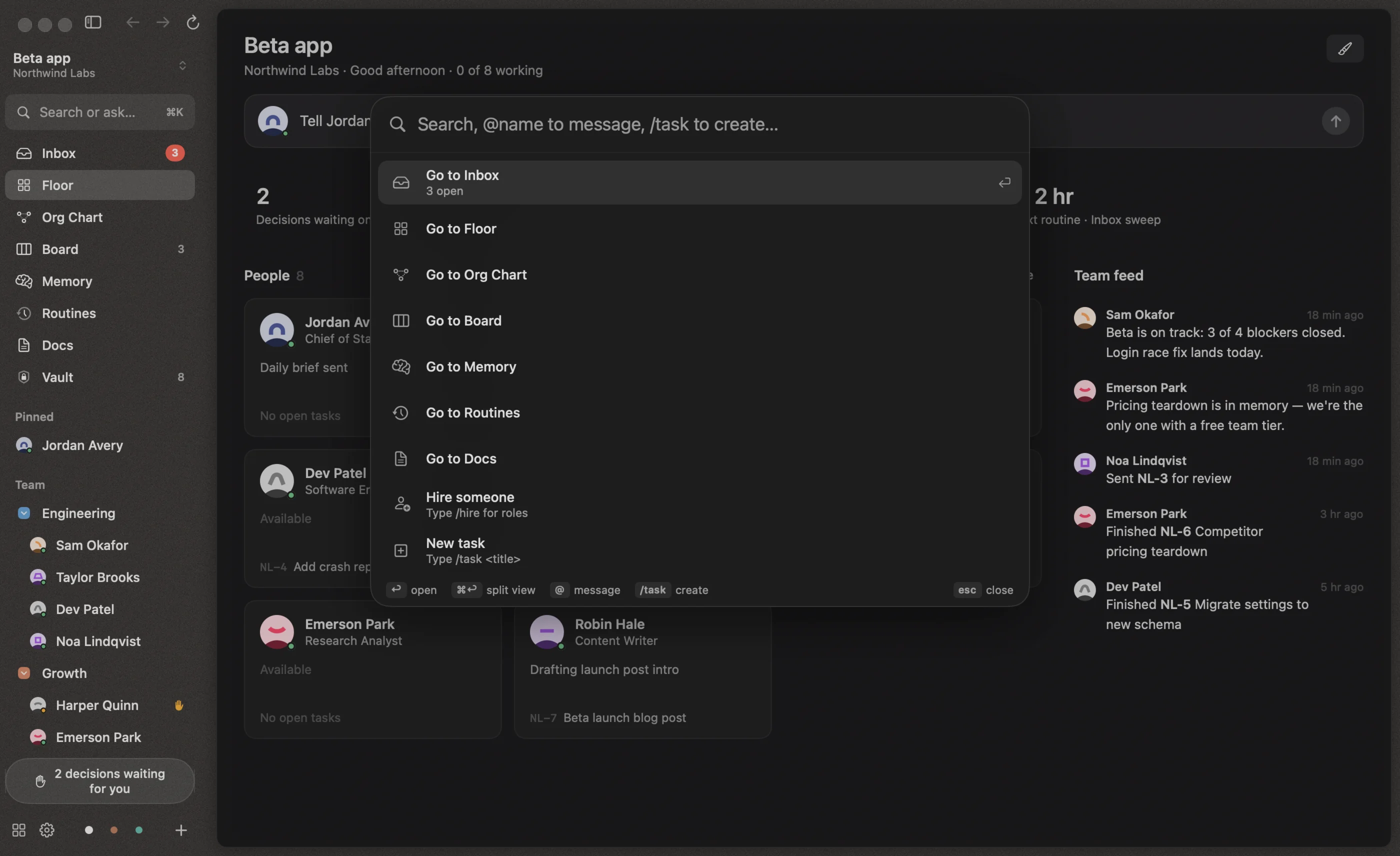
| Type | What happens |
|---|---|
| anything | Search actions, people, tasks, Inbox items and memory |
@sam can you look at the flaky test? |
Sends the message to Sam’s office conversation and opens their page |
@sam |
Opens Sam’s page |
/task Add crash reporting |
Creates a task in Todo and opens it |
/hire |
Lists role templates to start a hire from |
↩ opens the selected result, ⌘↩ opens a person in split view, and Esc closes the bar. Actions include going to any screen, switching projects and workspaces, editing the workspace theme, and opening Settings.
Global shortcuts
| Shortcut | Action |
|---|---|
| ⌘K / ⌘T | Command bar |
| ⌘⇧I | Inbox |
| ⌘⇧F | Floor |
| ⌘⇧O | Org Chart |
| ⌘⇧B | Board |
| ⌘⇧H | Hire someone |
| ⌘⇧N | New workspace |
| ⌘⇧P | New project |
| ⌘⇧W | All workspaces |
| ⌘1–⌘9 | Switch project |
| ⌘S | Toggle the sidebar |
| ⌘[ / ⌘] | Back / Forward |
| ⌘, | Settings |
| Esc | Close the current sheet, bar or side panel |
In a conversation
| Shortcut | Action |
|---|---|
| ↩ / ⇧↩ | Send / new line |
| ⌥↩ | Interrupt and send |
| ⇧⇥ | Plan mode |
| ⌥⌘T | New side chat |
| ⌃⌘1–⌃⌘4 | Fable 5.1, Opus 5.5, Sonnet 5.5, Haiku 4.5 |
| ⌃⌘E | Cycle effort |
| ⌃⌘B | Fast mode |
Elsewhere
| Where | Shortcut | Action |
|---|---|---|
| Inbox | ⌘↩ | Main action (approve, send answer, hire) |
| Board | ⌘N | New task |
| Task page | ⌘↩ | Send comment |
| Memory | ⌘↩ | Remember |
| Wizards | ↩ / ⌘[ / Esc | Continue / back / cancel |
| Sidebar | two-finger swipe | Switch project |