Safety & control
Vault
Logins for your team's browsers, encrypted on your Mac. Agents sign in without ever seeing a password.
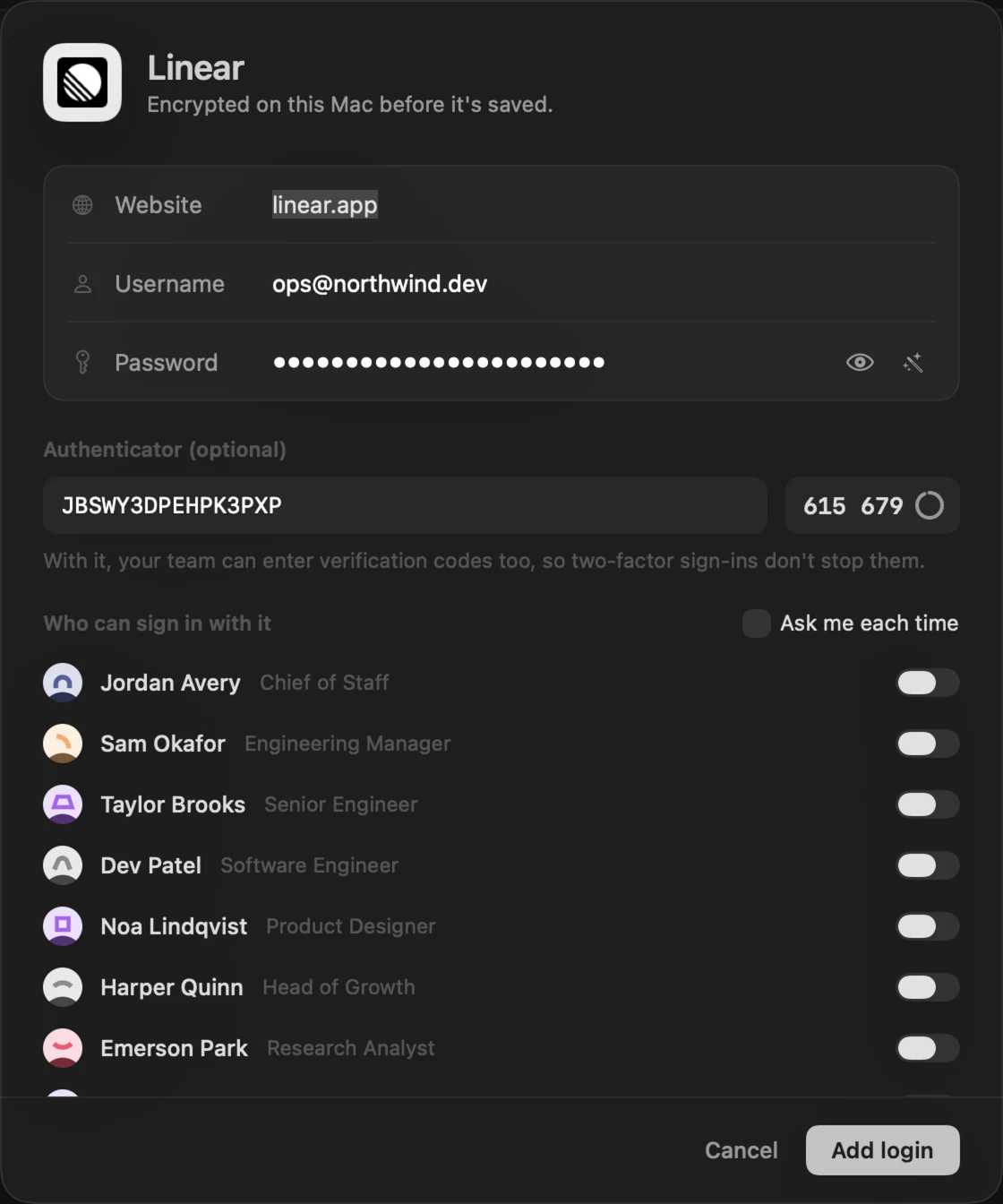
The Vault holds logins for the sites your team works on: a username, a password and, optionally, an authenticator setup key so two-factor sign-ins don’t stop them.
How it’s kept
- Logins are encrypted with AES-GCM. The key lives in your Keychain on this Mac; the database only holds ciphertext.
- Revealing or copying a password needs Touch ID.
- Every use is logged.
Who can use a login
When you add or edit a login, choose who can sign in with it. Turn on Ask me each time to approve every use from your Inbox.
How agents sign in
Agents never handle the secret. They open the site’s sign-in page in their browser and call:
| Tool | What it does |
|---|---|
vault_list |
The logins they can use, and ones they can ask for — sites and usernames only, never passwords |
browser_login |
Reigh fills the username and password into the page itself |
browser_fill_code |
Reigh fills the current verification code from the authenticator key |
Reigh only fills a login on that login’s own sites, and only over HTTPS. Page snapshots the agent reads mask filled fields, so no password or code ever reaches the model.
Separate browsers
Each employee’s browser has its own cookies and storage, so a sign-in is only ever theirs. Taking a login away signs them out of its sites, and letting someone go clears their browser.