The office
Delegation & the board
How work moves down the org with contracts, comes back up for review, and lives on the board.
Contracts
Managers can delegate only to their direct reports, and every handoff needs a four-part contract. Reigh rejects a delegation if any part is empty.
OBJECTIVE   The goal, and why it matters
OUTPUT      The deliverable, its format, and where it goes
TOOLS       What to use or avoid, and what to read first
BOUNDARIES  Scope limits, the definition of done, and the deadline
The contract appears in the assignment, on the task page, and in the board card’s detail. If you asked for a plan or an investigation, managers say so in BOUNDARIES, so a plan stays a plan.
The review loop
- The assignee finishes and reports done with a summary, deliverables and suggested follow-ups.
- The task moves to In Review and goes back to whoever delegated it.
- The reviewer approves (the task is done and anything waiting on it is unblocked) or requests changes (it goes back to In Progress with their feedback).
- When a top-level task finishes, you get a report in your Inbox.
Tasks that depend on others wait quietly and wake their assignee when everything they depend on is done, along with the results.
The board
The Board (⌘⇧B) has columns for Backlog, Todo, In Progress, In Review, Blocked and Done, plus Cancelled when you turn it on. Drag cards to reorder or move them between columns.
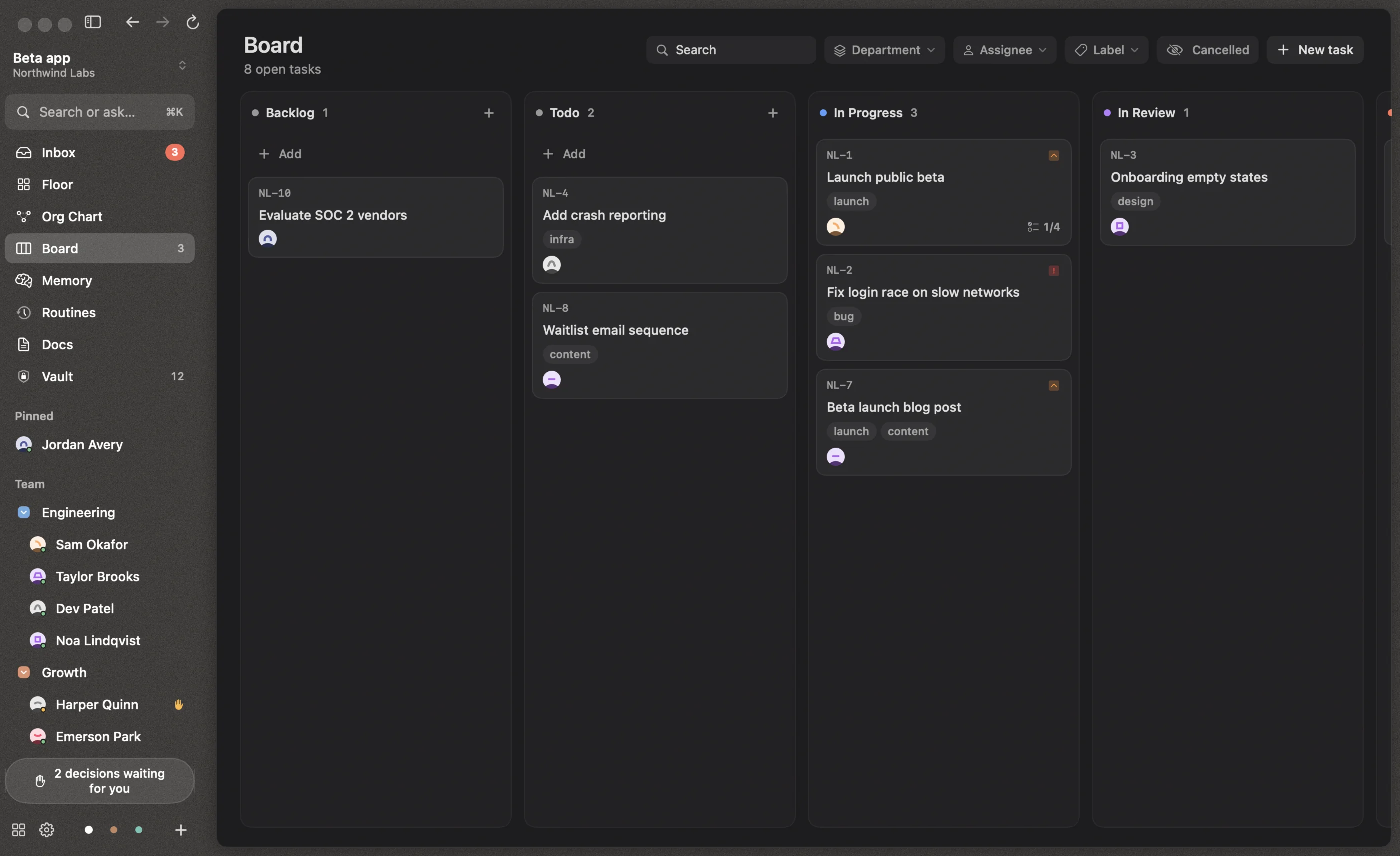
Cards show the task key, title, labels, assignee, priority, subtasks done, due date, a hand when it needs you, and a branch icon for coding tasks (purple when a PR is open). Filter by department, assignee or label, or search.
Create a task with New task (⌘N), or type /task <title> in the command bar.
The task page
Click a card for its full page:
- Title, status, assignee, priority and due date, all editable
- Result, once someone reports done
- Waiting for your review, with Request changes and Approve, when it’s yours to review
- Contract and description
- Attachments (drop files anywhere on the page)
- Subtasks, dependencies, labels and the repository and branch for coding tasks
- Activity, with a comment box. A comment from you wakes the assignee.
Coding tasks also have a Changes tab. See Coding tasks & worktrees.