The office
Memory
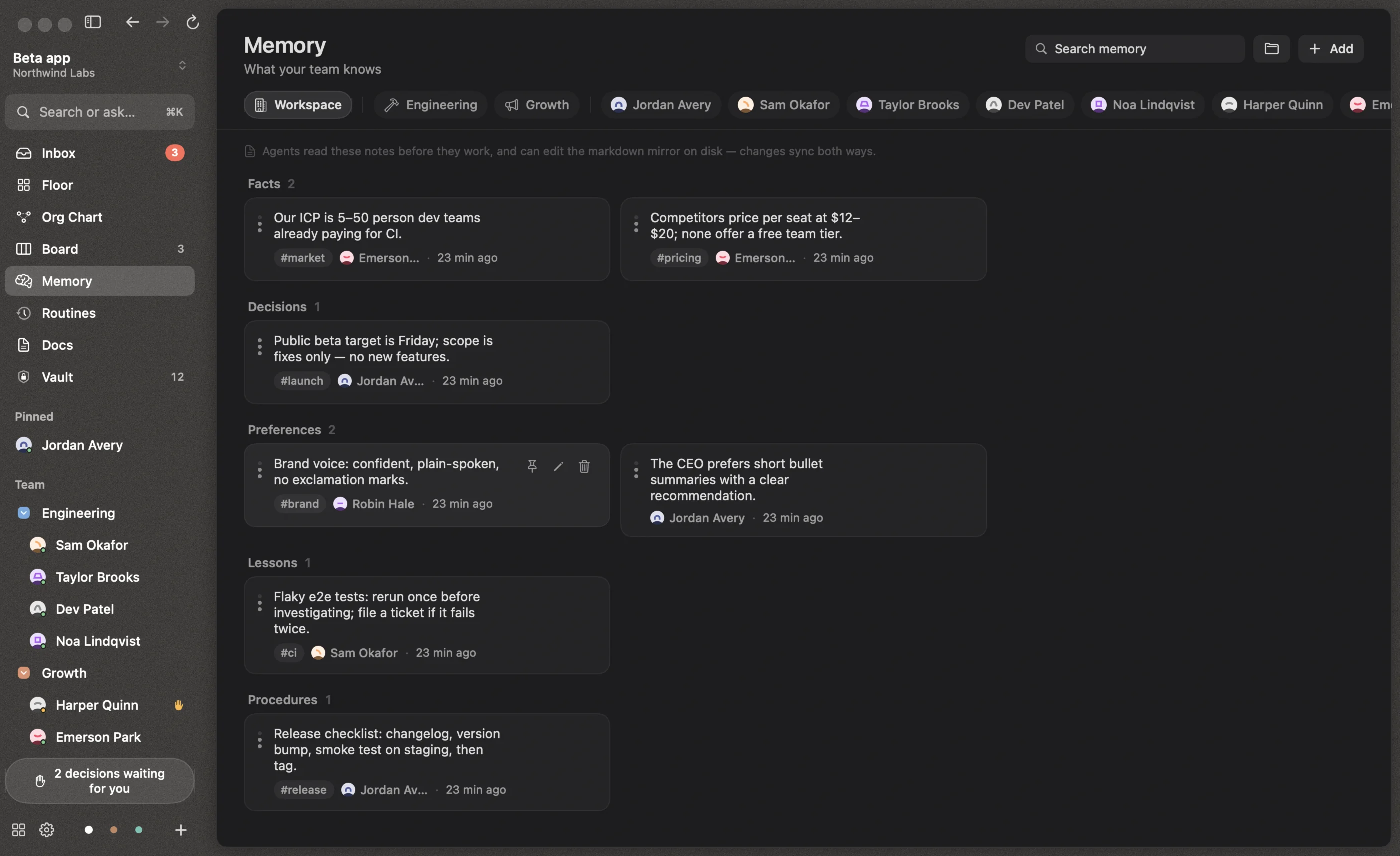
What your team knows, at four levels, kept in Markdown files that you and the agents can both edit.
Agents remember durable things as they work, and recall them before re-researching. Memory survives across conversations, restarts and reorganizations.
Four levels
| Level | Who can see it | File |
|---|---|---|
| Personal | That person | people/<person>/MEMORY.md |
| Project | Everyone working on that project | projects/<project>/PROJECT.md |
| Department | Everyone in the department | departments/<dept>/DEPARTMENT.md |
| Workspace | Everyone | COMPANY.md |
Each memory is a fact, decision, preference, lesson or procedure, with an importance and optional tags. Agents are told never to store secrets.
Plain Markdown, both ways
Every level is mirrored to a Markdown file in your workspace folder. Edit a file in any editor and the changes sync back into Reigh; change something in Reigh and the file updates.
# Northwind Labs
<!-- Managed by Reigh. Add bullets under a heading (e.g. `- New fact #tag`); keep the [m:…] ids on existing lines. -->

## Decisions
- [m:4f2a91c0de] The beta ships with a free tier for up to 5 seats #pricing
- Support replies go out within one business day #support
New bullets without an id become new memories, filed under the heading above them. Deleting a line forgets it.
The Memory screen
Memory in the sidebar shows what the team knows, by scope: the workspace, each department and each person. Search across everything, add memories yourself with + Add, pin the important ones to the top, and edit or delete any of them.
Each person’s Memory tab shows what they remember: their own, the current project’s, and the whole workspace’s, and lets you teach them something directly.
Search
Memory search is full-text and ranked, and it’s available everywhere: the Memory screen, the command bar (⌘K), and Reigh Mobile.