Getting started
Quickstart
Create a workspace, meet your team, and hand them their first piece of work. About ten minutes.
1. Take the tour
The first time you open Reigh, a short walkthrough asks what your team should call you, lets you name your Chief of Staff, shows how hiring works, checks that Claude Code and git are installed, and ends with your letter of appointment as CEO. You can replay it later from the launcher (Take the tour) or Settings → Advanced.
2. Create a workspace
A workspace is one team with its own look, people and departments. The wizard walks you through it:
- Name it, for example Northwind Labs.
- What’s it for? Everyone you hire reads this, so a sentence or two about the goal goes a long way.
- Choose a look. Pick up to three colours, then set grain and intensity. The whole window previews as you go.
- Add your first project. Choose or drop a folder. Reigh checks for a git repo, a
CLAUDE.mdand a README. No folder yet? Skip it and you’ll get a General project. - Meet your Chief of Staff. Give them a name. They’re hired automatically with every workspace.
- Make your first hires. Reigh suggests a starting team based on what you said the workspace is for. You can change the team, set everyone’s model at once, rename people, or drag someone onto a different manager.
- Review and create.
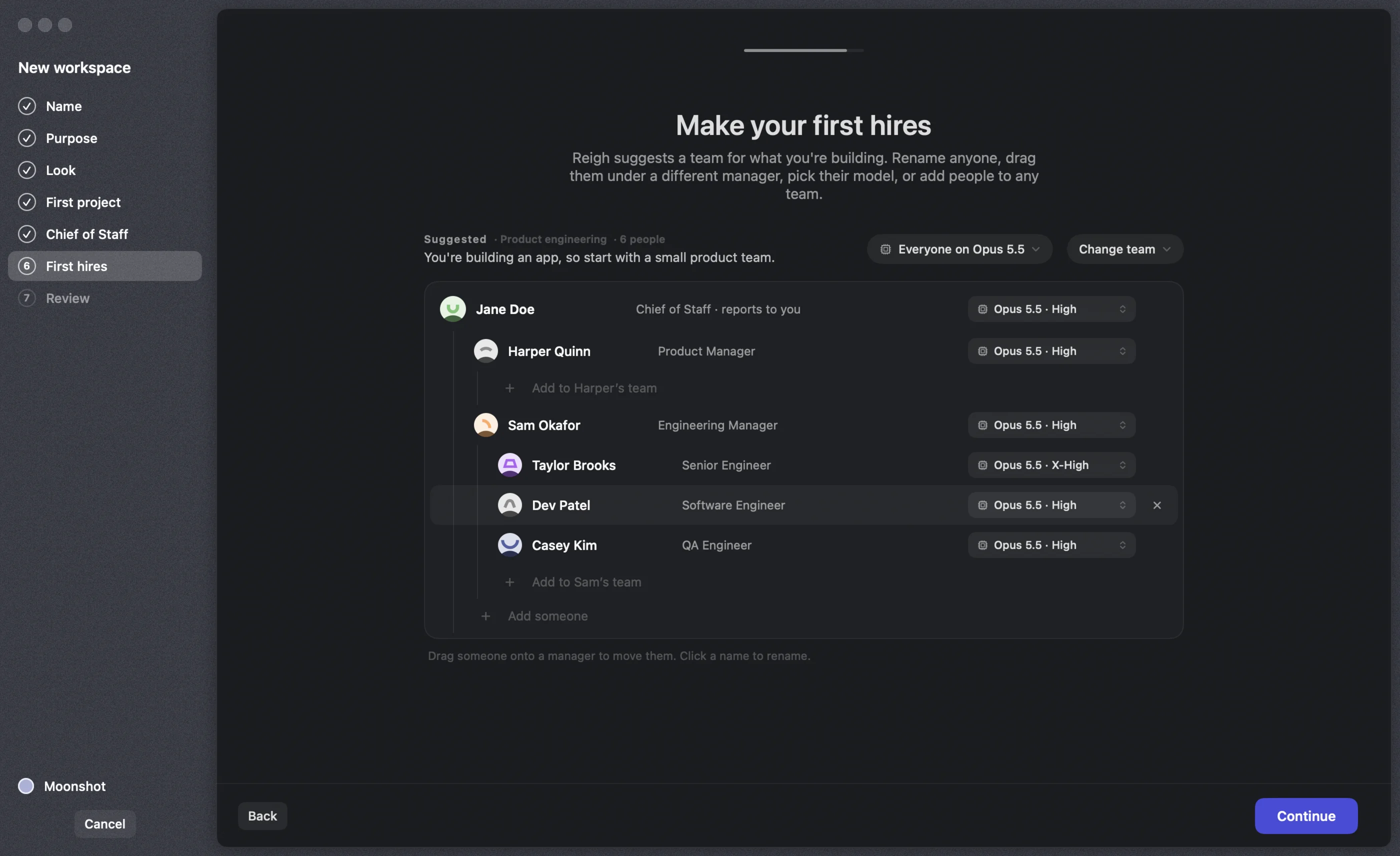
Starting teams include Product engineering, Launch a product, Codebase care, Research desk, Content studio, or just your Chief of Staff. Each comes with departments, people in real seats with specific briefs, and routines such as standups. See Hiring & the org chart.
3. Brief your Chief of Staff
You land on the Floor. At the top is the brief box: “Tell Jordan what you want done…”. Write what you want the way you’d say it to a person:
Get the public beta out by Friday. Keep the scope tight: fix the login race,
add crash reporting, and draft a launch post. Ask me before anything goes public.
Your Chief of Staff turns that into tasks on the Board and delegates them to the right managers, who split them further for their reports. Each handoff comes with a contract: objective, output, tools and boundaries.
4. Watch the work move
- The Floor shows each person’s live status and what they’re working on.
- The Org Chart lights up as people message each other.
- The Board fills with tasks that move from Todo to In Progress to In Review to Done.
- Open anyone to see their conversation, the sub-agents they started, and the steps they took.
5. Make decisions
When someone needs you, it lands in your Inbox: a permission to run a command, a question with options, a plan to approve, a report, or a proposed hire. You can also answer from macOS notifications, or from your phone with Reigh Mobile.
That’s it. From here, try messaging someone directly, setting up a routine, or hiring someone new.