The office
Routines
Standups, reports and check-ins on a schedule, plus follow-ups agents schedule for themselves.
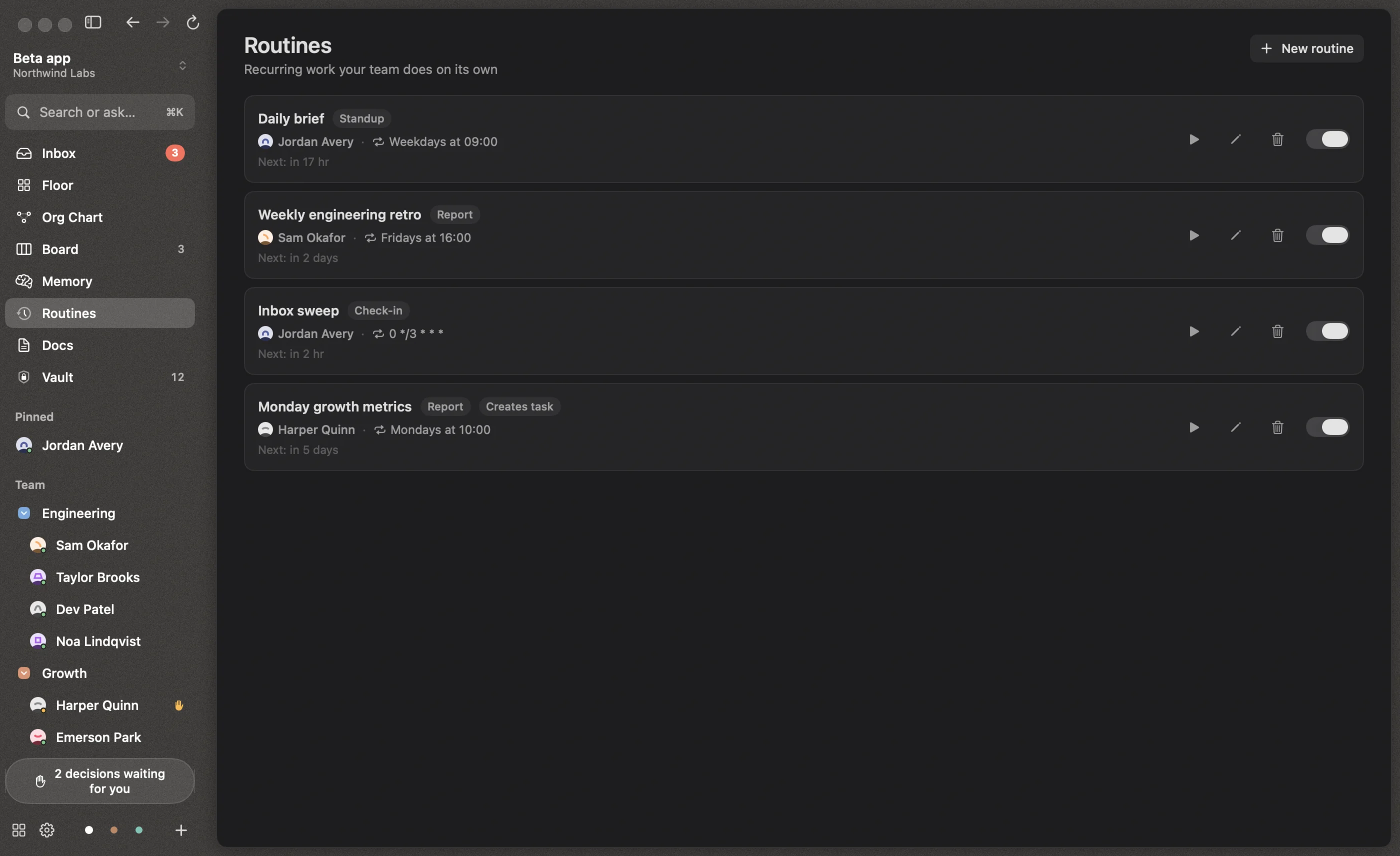
Routines is recurring work your team does on its own. A routine wakes one person on a schedule with instructions, and can create a task each time it runs.
Templates
| Routine | When | Who |
|---|---|---|
| Daily standup | Weekdays at 9:00 | Chief of Staff |
| Weekly retro | Fridays at 16:00 | Your first manager; also creates a “Weekly retro — {date}” task |
| Inbox sweep | Every 3 hours | Chief of Staff |
| Custom… | Whatever you like | Anyone |
Every workspace starts with a Daily brief: on weekdays at 9:00, your Chief of Staff checks the board and the team and sends you a short brief, or skips it if nothing changed.
Editing a routine
- Name and who it wakes
- Kind: standup, recurring task, report or check-in
- Schedule: hourly, daily, weekdays, weekly, or a custom cron expression, with a live preview of the next run
- Instructions for the person it wakes
- Also create a task titled…, where
{date}becomes the day it runs - If the office was closed: run once when Reigh is back, or skip missed runs
From the list you can Run now, edit, delete, or pause a routine with its switch.
Cron syntax
Custom schedules use standard five-field cron: minute hour day-of-month month day-of-week.
30 9 * * 1-5     weekdays at 9:30
0 10 * * 1       Mondays at 10:00
0 */3 * * *      every 3 hours
Lists (1,3,5), ranges (1-5) and steps (*/15) work, as do @hourly, @daily, @weekly and @monthly. Day-of-week runs 0–7, where both 0 and 7 are Sunday. Month and day names aren’t supported.
Follow-ups
Agents can schedule a follow-up for themselves, such as “check whether CI is green in an hour”. These appear under Scheduled follow-ups on the Routines screen, where you can cancel them. Each person can have up to five pending.
If someone has left
If the person a routine wakes is no longer on the team, it goes to the head of their department, and otherwise to your Chief of Staff.