Mobile
Reigh Mobile
Decide, chat and follow your team's work from your iPhone, encrypted end to end, straight to your Mac.
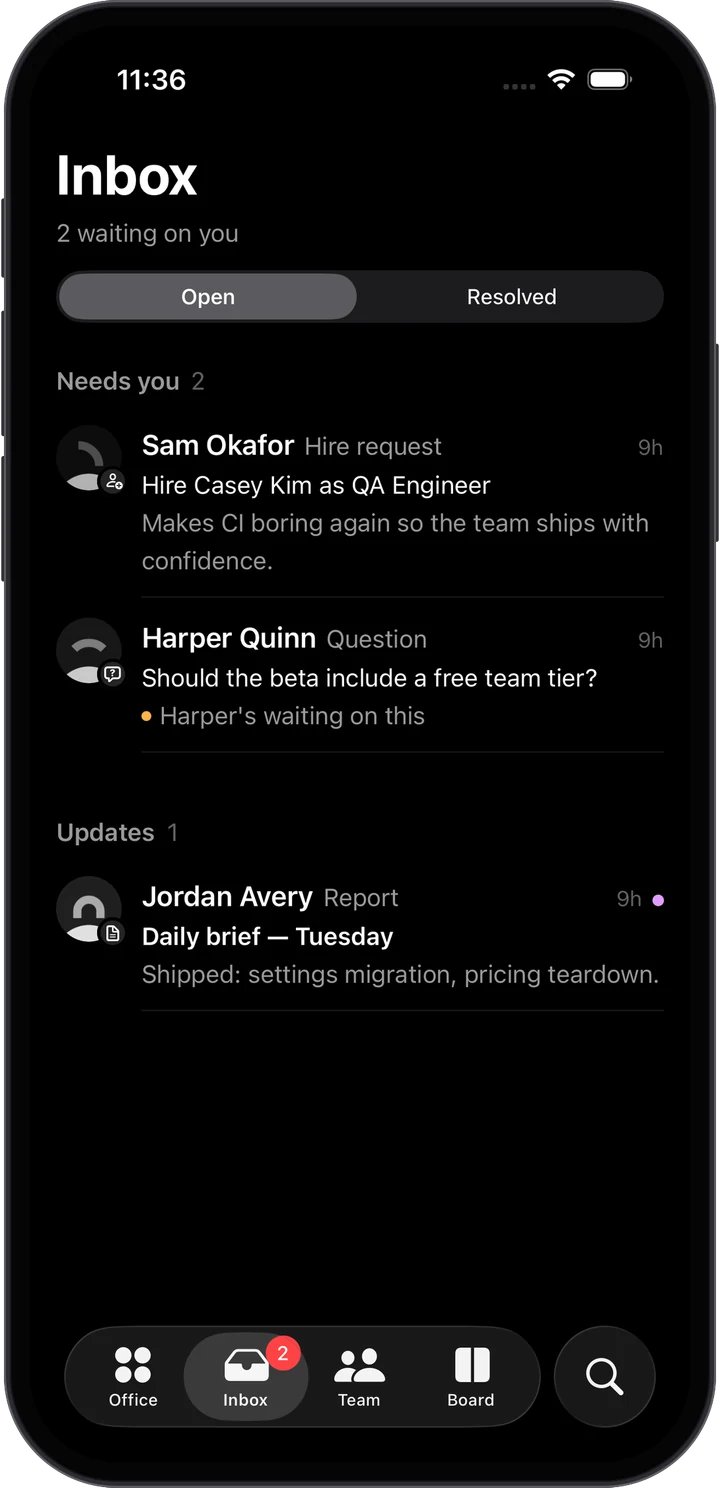
Reigh Mobile is the iPhone companion to Reigh for Mac. It shows your office as it happens and lets you make the decisions your team is waiting on, wherever you are.
Reigh Mobile is a paid add-on. Reigh for Mac is free and open source, and always will be. The phone app is a subscription because keeping it connected to your Mac depends on servers we run. See pricing.
What you can do
- Approve, answer and hire in one tap. Permissions, plans, approvals, questions and hire requests appear under Needs you. In the Inbox, swipe right to approve and left to deny.
- Brief your Chief of Staff from the Office tab, just like the Floor on your Mac.
- Chat with anyone and watch them work live: streamed replies, tool steps, sub-agents, and plan cards. Interrupt, stop, or start a side chat.
- Follow the board. Move tasks, create new ones, and comment.
- Watch agents’ browsers live in a picture-in-picture window.
- Read docs — Markdown, PDFs and spreadsheets — and search memory.
- Run routines, see who’s working, pause people, and check today’s spending.
Decisions also arrive as notifications with Approve and Deny (or Answer for questions), which ask you to unlock your phone before acting.
Pairing your phone
- On your Mac, open Settings → Mobile and turn on Let your phone connect.
- On your iPhone, open Reigh and tap Connect to your Mac.
- Scan the QR code shown on your Mac. Or pick your Mac from the list of nearby Macs and type the 6-digit code.
Pairing codes expire after ten minutes and work once. Your Mac lists every paired phone with when it was last seen, and Remove disconnects one immediately.
Security
The link between your phone and your Mac is end-to-end encrypted.
- Your Mac and each phone have their own long-term keys. Pairing pins the Mac’s key on the phone, and the phone’s key on the Mac.
- Every connection runs a fresh key exchange, so past sessions can’t be decrypted later even if a key leaks (forward secrecy).
- Messages are encrypted with ChaCha20-Poly1305 and must arrive in order, so replayed or reordered messages are rejected.
- If your Mac’s key ever changes, the phone refuses to connect until you pair again.
- You can check the key fingerprint (like
4F2A-91C0) in Settings on both devices.
Only files inside your workspace and project folders can be opened from the phone.
Connecting
At home, your phone finds your Mac on the local network and connects directly. Your Mac also shares its private-network addresses, such as a Tailscale address, in the QR code, so the phone can reach it there too. You can also enter an address by hand from Enter an address instead.
What stays on the Mac
The phone is a window into your office, not a second office. Creating workspaces, hiring from scratch, editing the org, changing models and settings, and driving a browser all happen on your Mac.
Requirements
iOS 26 or later, and Reigh for Mac running on a Mac that’s awake.