The office
Talking to your team
Office conversations, side chats, slash commands, plan mode, attachments, sub-agents, and taking the wheel.
Open anyone from the sidebar, the Floor or the Org Chart to see their page: Chat, Terminal, Tasks, Memory and Profile.
Office conversation and side chats
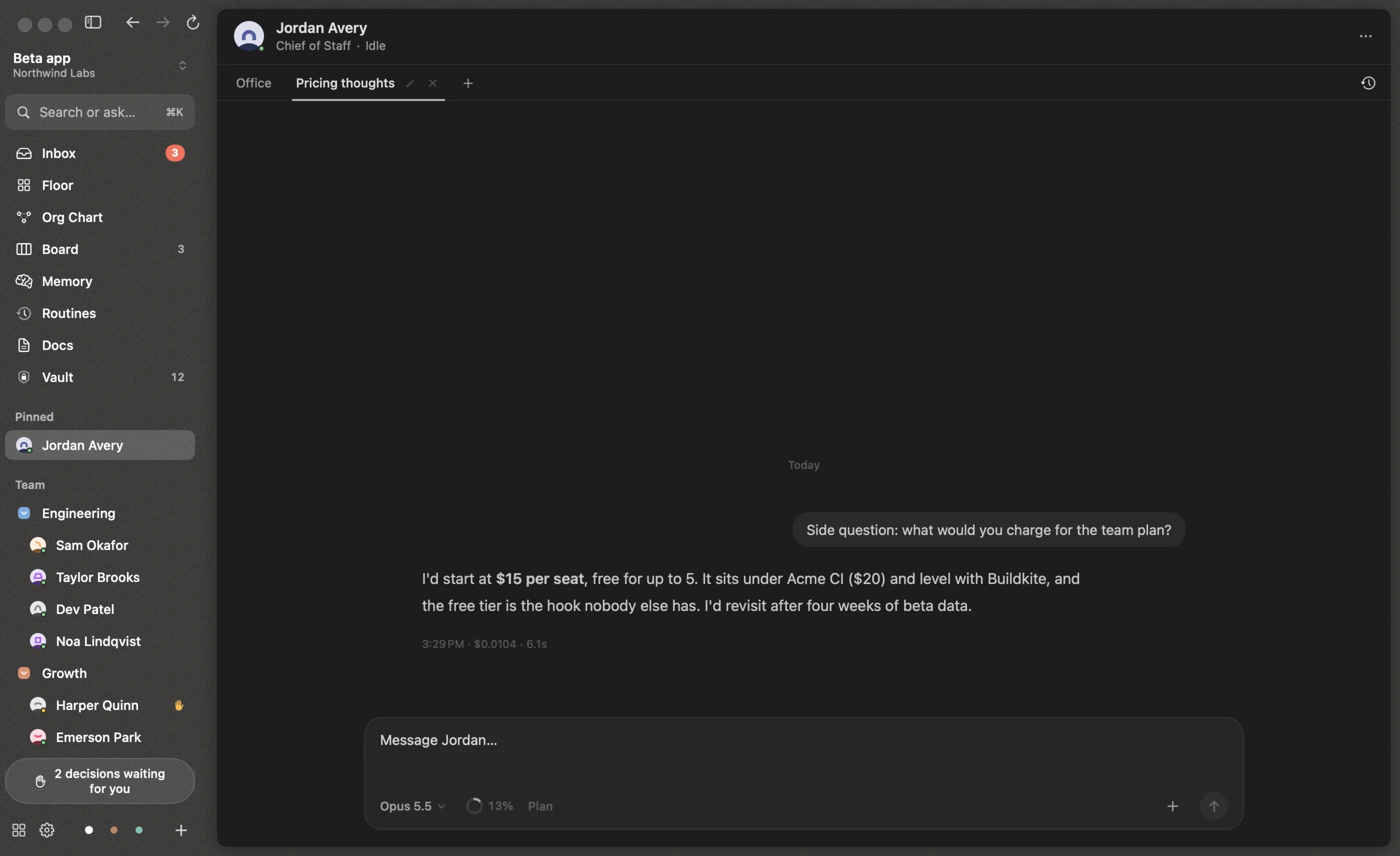
Every employee has an Office conversation for each project. That’s where org work lands: tasks, messages from colleagues, and anything you send them from the Floor or the command bar.
Next to it you can open as many side chats as you like with + (⌥⌘T). Each one is its own Claude Code session running in parallel, with its own history. Closed chats stay in History (the clock icon) and can be reopened.
Messages you send while someone is working are delivered straight into the running session after the current step. To stop what they’re doing and send immediately, press ⌥↩.
The composer
| Key | Action |
|---|---|
| ↩ | Send |
| ⇧↩ | New line |
| ⌥↩ | Interrupt and send |
| ⇧⇥ | Toggle plan mode |
| ⌘V | Paste an image or file as an attachment |
The footer of the composer has the model menu, the context dial, the Plan toggle, and + to attach files.
Slash commands
Type / to see the slash commands that person’s Claude Code reports, such as /compact, /context, /clear, /init, /review, /security-review and /simplify. Use ↑ ↓ to choose, ⇥ to complete and ↩ to run. Commands are passed to Claude Code as-is.
Plan mode
Turn on Plan (⇧⇥) and they research and propose a plan before changing anything. The plan arrives as a card in the chat, and in your Inbox, with Keep planning and Approve plan. Approving it returns them to their normal autonomy and they start.
Attachments
Attach files with +, by dragging onto the composer, or by pasting. They’re copied into that person’s attachments folder so they can read them.
Model and context
The model menu changes the model, effort and fast mode for this person (⌃⌘1–⌃⌘4 to pick a model, ⌃⌘E to cycle effort, ⌃⌘B for fast mode).
The context dial shows how full the conversation is. It turns orange above 70% and red above 90%. Older parts are compacted automatically, and memory and tasks always carry over. You can also start a fresh conversation from the dial.
Reading a transcript
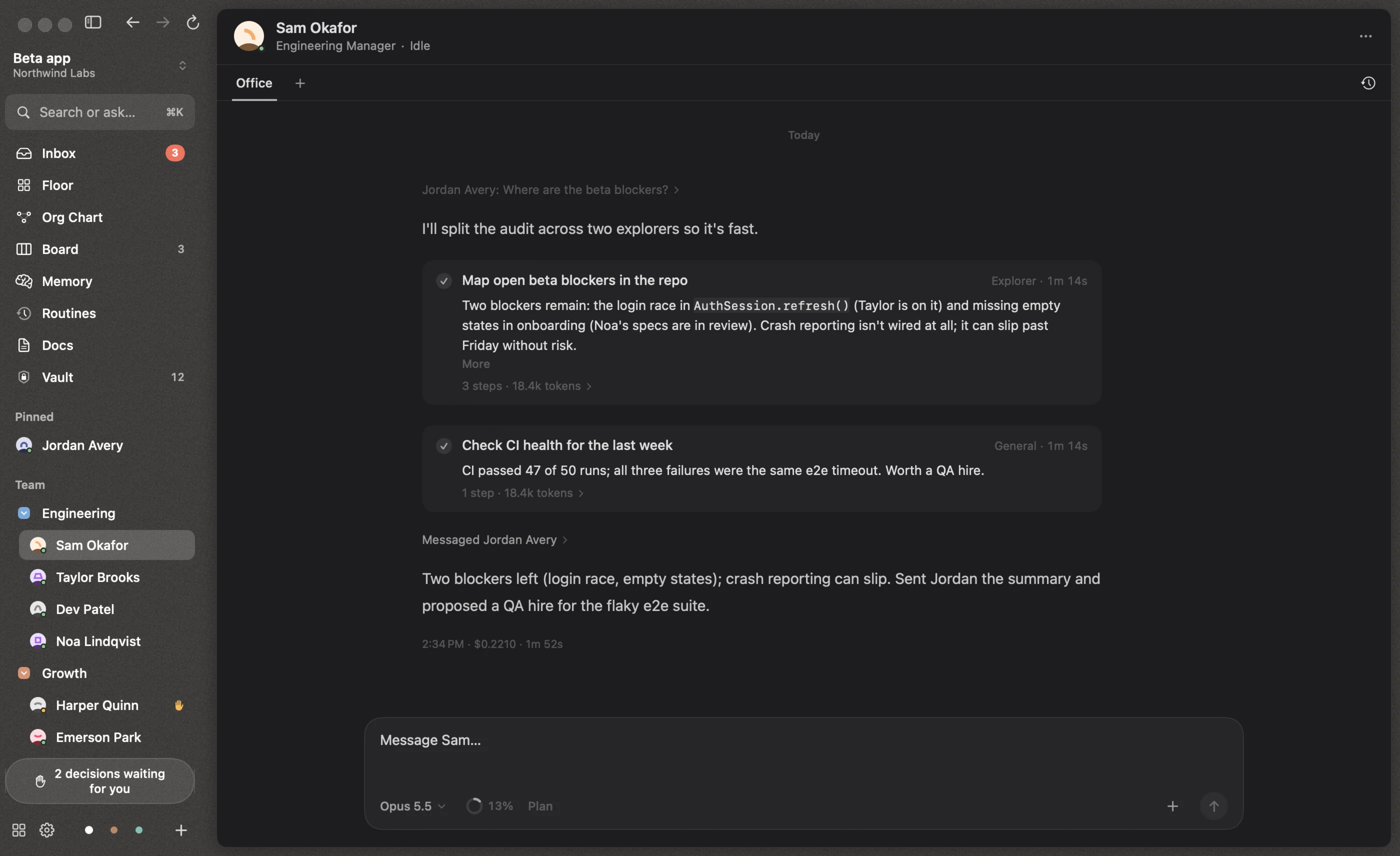
- A wake line shows what woke them, such as “Jordan Avery: Where are the beta blockers?”.
- Tool steps fold into “Ran 4 steps”; expand them to see each input and output.
- File paths in replies become file chips. Click one to preview it in the side panel, or right-click to open it, show it in Finder or copy the path.
- Each turn ends with the time, the cost and how long it took.
Sub-agents
When someone starts sub-agents, in the foreground or in the background, each appears as a live card: what it’s doing, its steps, how many tokens it used, and its report when it’s done. A run lasts until its background work is finished.
Take the wheel
The Terminal tab opens that person’s own Claude Code session in a real terminal: same memory, same tools, same conversation. Their queue pauses while you drive. Choose Hand back when you’re done.
Pausing someone
Pause from the “…” menu (or by hovering their card on the Floor) to stop new work reaching them until you resume. Stopping a run with Stop ends the current turn; Reigh won’t automatically restart work you stopped.